How to Reset OpenClaw: Step-by-Step Guide for OneManArmy Users
Learn how to reset OpenClaw in OneManArmy with this step-by-step tutorial. Clear errors, refresh workflows, and get your AI execution layer back on track in minutes.
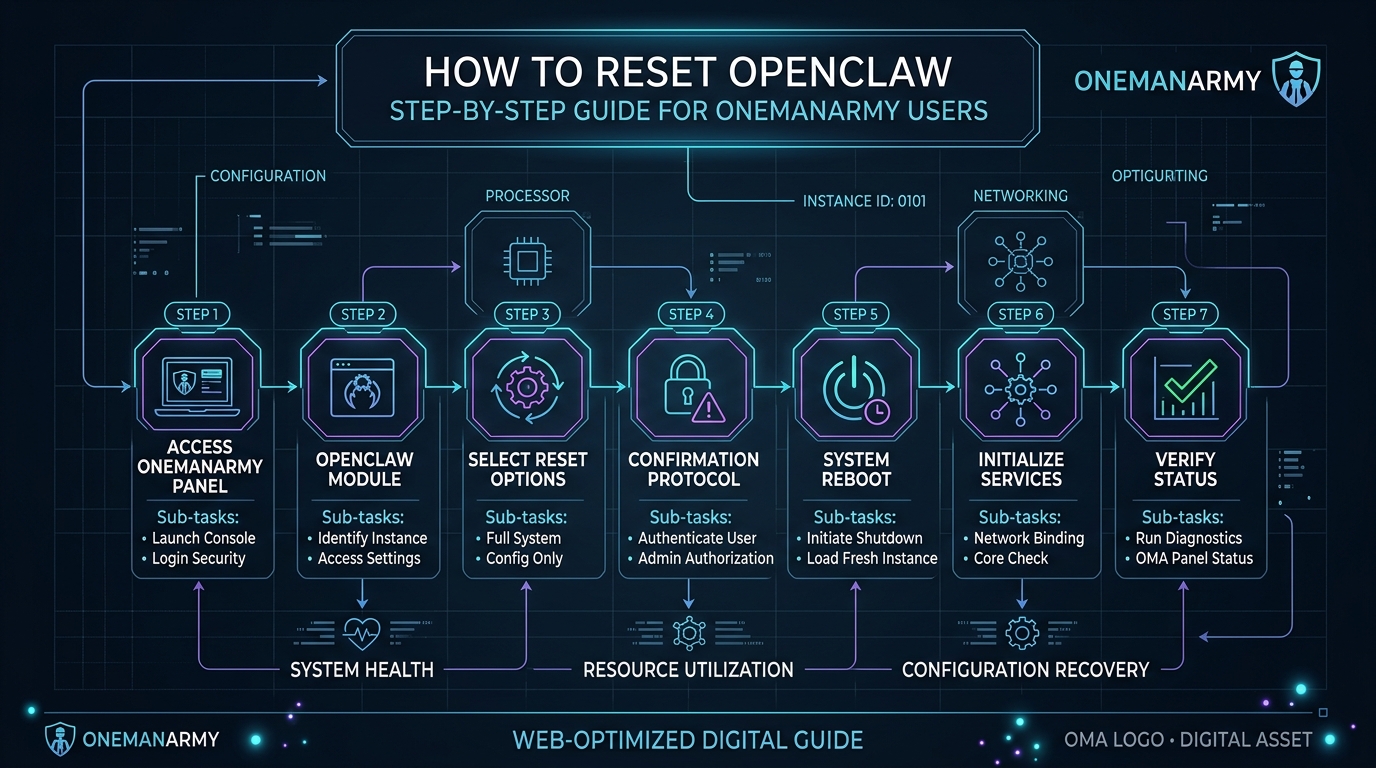
OpenClaw is the execution layer inside OneManArmy. It's the worker that actually runs skills, fires off commands, talks to APIs, and gets stuff done in the real world. Paperclip plans, Hermes remembers, OpenClaw executes. Simple.
But sometimes OpenClaw gets stuck. A workflow stalls mid-step. A command goes into a black hole. The bot just stares back at you with no response. I've been there. It happens. And when it does, a clean reset is the fastest fix.
This guide walks you through resetting OpenClaw from the OneManArmy dashboard. No SSH, no Docker, no terminal. Just a browser and a few clicks.
When Should You Reset OpenClaw?
Not every hiccup needs a reset. But some situations demand it:
- Stalled workflows: You set a multi-step skill running, and it hangs on step 3 for 10 minutes. Classic.
- Error messages: OpenClaw throws a generic "execution failed" or "timeout" error.
- Unresponsive commands: You send a command via Telegram or the dashboard, and nothing happens. No acknowledgement, no output.
- After updating skills: You modified a skill file or added a new API integration, and OpenClaw doesn't pick up the changes.
- Dashboard shows "offline" or "error" status: The worker indicator is red instead of green.
I've hit all of these. Last Tuesday, on a client campaign, OpenClaw just stopped mid-automation. No error, no log. Just silence. A reset brought it back in under a minute.
Before You Reset: Quick Checks
Don't rush into a reset. Save yourself the hassle. Do these three things first:
- Check your internet connection. OpenClaw runs in the cloud, but your dashboard needs a stable connection to send the reset command. If your Wi-Fi is spotty, the reset might not go through.
- Verify OneManArmy dashboard status. Log into the dashboard. Look at the top-right corner. Is there a green "All Systems Operational" banner? If not, the platform might be having an issue. Check [OneManArmy status page] if available.
- Ensure no critical tasks are running. If OpenClaw is in the middle of a long-running skill (like a data scrape or a multi-step email sequence), wait for it to finish. A reset mid-task can leave things in an inconsistent state.
I once reset OpenClaw while it was sending out a batch of emails. Half went out, half didn't. That was a mess to clean up. Learn from my mistake.
Step 1: Access the OneManArmy Dashboard
Open your browser. Navigate to your OneManArmy dashboard URL. Log in with your credentials.
That's it. No SSH keys, no terminal, no Docker compose. Just a login screen.
The dashboard is your command center. You'll see three workers listed: Paperclip, OpenClaw, and Hermes. Each has its own card with status indicators and action buttons.
Step 2: Locate the OpenClaw Worker
On the dashboard, find the card labeled "OpenClaw". It's usually in the middle row, between Paperclip and Hermes. The card shows:
- Worker name: "OpenClaw"
- Status: green (online), yellow (busy), red (error/offline)
- A small gear icon or "..." menu for actions
If you're on Telegram or Discord, you can also access OpenClaw via commands, but the dashboard gives you the full control panel.
Step 3: Initiate the Reset
Click the "..." menu on the OpenClaw card. A dropdown appears with options:
- Restart Worker
- View Logs
- Configure Skills
- Deactivate
Click Restart Worker. A confirmation dialog pops up:
"Are you sure you want to restart OpenClaw? This will stop any running tasks and restart the worker. This usually takes 30-60 seconds."
Click Confirm. That's it. The platform sends a restart signal to the cloud infrastructure. OpenClaw stops, clears its state, and boots up fresh.
No Docker commands. No systemctl restart. No hunting for PIDs. Just two clicks.
Step 4: Confirm and Wait
After you confirm, the dashboard shows a spinning indicator on the OpenClaw card. Status changes to "Restarting..." in yellow.
Wait. Grab a coffee. Or just stare at the screen like I do.
Typically, it takes 30-60 seconds. During this time, the cloud platform:
- Terminates the current OpenClaw process
- Clears any in-memory state and cached errors
- Spins up a fresh container or serverless instance
- Loads the latest skills configuration
- Reports back to the dashboard as "online"
If it takes longer than 90 seconds, refresh the dashboard page. Sometimes the UI just needs a nudge.
Step 5: Verify OpenClaw Is Operational
Once the status turns green, test it. Send a simple command to OpenClaw. You can do this from:
- Dashboard: Use the built-in chat input on the OpenClaw card
- Telegram: Message your OneManArmy bot
- Discord: Type in the designated channel
Try a basic command like:
/openclaw ping
Or a simple skill:
/openclaw run skill:hello_world
OpenClaw should respond within a few seconds. If you get a reply, you're back in business.
I usually run /openclaw echo "test" first. If it echoes back, the core is working. Then I run a real skill to confirm the full pipeline.
Troubleshooting After Reset
So you reset OpenClaw. It's green. But it still doesn't work. Now what?
Don't panic. Try these in order:
- Refresh the dashboard: Hard refresh (Ctrl+F5 or Cmd+Shift+R). Sometimes the UI caches a stale state.
- Check skill configuration: If you recently modified a skill, it might have a syntax error. OpenClaw won't execute a broken skill. Review your skill YAML or JSON in the dashboard's skill editor.
- Check API keys: If OpenClaw talks to external services (like OpenAI, Google Sheets, or your CRM), a revoked or expired API key will cause silent failures. Verify keys in the dashboard settings.
- Clear browser cache: Occasionally, the dashboard session gets corrupted. Log out, clear cache, log back in.
- Contact OneManArmy support: If nothing works, hit the support chat in the dashboard. The team can check backend logs and force a deeper reset if needed.
I had a case where OpenClaw kept failing after reset because my Telegram bot token was invalid. The dashboard didn't show an error for that. Took me 20 minutes to figure out. Check your integrations.
Preventing Future OpenClaw Issues
Resets are quick, but prevention is better. Here's what I've learned from months of running OneManArmy:
- Don't overload OpenClaw with too many simultaneous tasks. It's a single worker, not a cluster. If you queue up 20 long-running skills at once, it'll choke. Space them out or use Paperclip to orchestrate sequencing.
- Keep skills updated. Outdated skills with deprecated API endpoints are a common failure point. Review your skills monthly.
- Monitor dashboard alerts. OneManArmy shows alerts when OpenClaw hits errors or resource limits. Don't ignore them. A yellow warning today can become a red crash tomorrow.
- Use Paperclip for complex workflows. Paperclip can break down a big goal into smaller steps and hand them to OpenClaw one at a time. That reduces the chance of OpenClaw getting overwhelmed.
- Regularly check your API key expiry dates. I set a calendar reminder every 60 days to rotate keys. Saved me from multiple mid-campaign failures.
OneManArmy is built to be stable, but no system is perfect. A reset every few weeks is normal for any active AI worker.
FAQ
Q: Will resetting OpenClaw delete my skills or configurations? A: No. Resetting only restarts the worker process. Your skills, settings, and memory (handled by Hermes) are preserved in the cloud.
Q: How often should I reset OpenClaw? A: Only when needed. If it's working fine, leave it alone. I reset maybe once a month proactively, and immediately if I see errors.
Q: Can I reset OpenClaw from Telegram or Discord?
A: Yes. Use the command /openclaw restart in Telegram or Discord. The dashboard method is more visual, but the command works too.
Q: What if OpenClaw still doesn't work after reset? A: Follow the troubleshooting steps above. If it persists, contact OneManArmy support via the dashboard chat. They can check backend logs.
Q: Does resetting affect Paperclip or Hermes? A: No. Each worker is independent. Restarting OpenClaw has no impact on Paperclip's planning or Hermes' memory.
Actionable alternative: If you're tired of resets and want a fully managed experience, Try OneManArmy and let the platform handle all the infrastructure headaches. No more manual restarts.
Resetting OpenClaw is a simple, non-technical operation that takes under a minute. It's one of those small maintenance tasks that keeps your AI army running smoothly. The dashboard makes it trivial. No commands, no configs, no stress.
Now go execute something.
Technical Specifications & Sandbox Verification for OneManArmy
Ready to try OneManArmy?
Skip the complex server configuration, SSH tunnel setup, and active maintenance. Get a fully configured, optimized cloud instance in seconds.
Related Articles
How to Start an Agency with OneManArmy Platform: A Business Case
Learn how to start an AI agency using the OneManArmy platform. Discover pricing, monetization strategies for Paperclip AI, Hermes AI, and OpenClaw AI bots to serve clients profitably.
Read Article →AI Agent Platforms: The Ultimate Business Case for Solo Operators
Discover how AI agent platforms like OneManArmy let solo entrepreneurs deploy three AI workers without technical skills. Learn the business case for automated operations.
Read Article →Hermes Agent WebUI for Small Business: OneManArmy Review
Compare Hermes Agent WebUI options for small business. Discover why OneManArmy's cloud-hosted Hermes web dashboard is the best choice for solo entrepreneurs. No setup required.
Read Article →Related topics:
Written by OneManArmy Editorial Team
Experts in technical architecture and cloud solutions. We test and review the best developer tools.